This project started with wanting a way to keep up with cybersecurity news. I started the project with a simple, hard-coded script that let me scrape the RSS feed of one news source. I got distracted with other things and came back to this project months later, but I didn’t forget about the project. While I was busy with other things, I had ideas to make this project better, and I’ve implemented those.
This project will likely never actually be complete, but it’s at a good spot where it’s stable and has been doing what I designed it to do and is making my life easier.
I wanted to make sure that this project wouldn’t become a huge mess. The code might not be perfect or elegant, but I focused on making the project modular and config-driven. Each module has its own JSON config file, which allows me to make changes without having to touch the actual logic of the codebase. Usually. Sometimes I need to change the logic, but that’s pretty rare.
This automation runs twice per day, triggered at 06:15 and 12:15 local time by a cron job. The cron job calls a bash script which makes sure the working directory is correct, does some logging, and calls the orchestrator which runs the show. I’ll cover the modules in the order they’re executed by the orchestrator.
Weather Forecast Module
This module is pretty simple. I’m grabbing NWS forecast data for the zone that my workplace exists in. I parse the API response and do two things:
- Take the long description of the forecast and return it as an HTML string to later be inserted into the email module
- Drop a JSON file for the wardrobe generator module to use
I’m at a point now where I have my NWS forecast and severe weather alert scrapers running and saving the data returned to my TimescaleDB database, so I need to change this module to simply pull from the DB instead of hitting NWS an additional time, but that’s lower on my list of priorities right now.
Wardrobe Generator Module
This module currently accounts for roughly 25% of the codebase. Each Sunday, this module looks at the weather forecast JSON file dropped by the weather module and creates a schedule for the entire work week. Wardrobe inventory and rules are stored in a wardrobe config JSON file. Here’s the process:
- A copy of the wardrobe inventory from the config file is stored as a variable.
- Feels Like temperature is calculated for each day.
- Days are given a score based on the forecast, the days with the worst weather will be built first.
- Boot type (wet vs dry weather) is chosen based on precipitation chance.
- Boot color is chosen, belt is chosen to match boots.
- Chinos are chosen based on boot color. Chinos chosen are removed from inventory.
- Shirt type is chosen based on the temperature.
- Shirt color is chosen based on chino color. Shirt chosen is removed from inventory.
- Whether a jacket is necessary is based on precipitation chance and temperature.
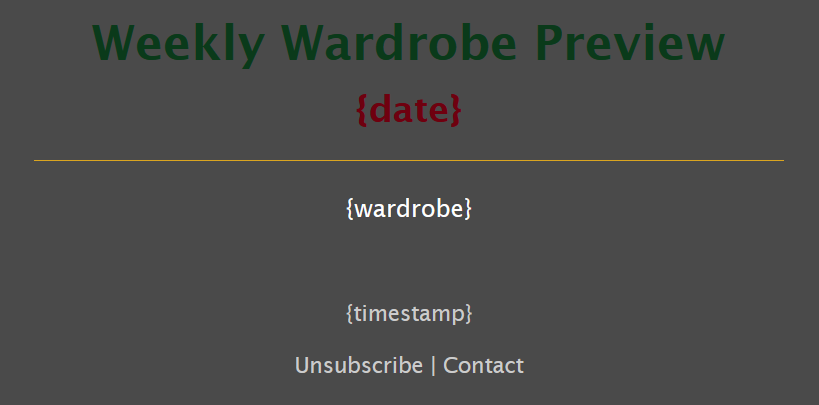
Once the weekly schedule is created on Sunday, it is sent as an additional email using the emailer module. The schedule can be completely rebuilt by manually running the module by itself and adding a “–rebuild” flag. I can also use nano to edit the JSON if I only want to make small changes. Once the schedule is locked in, an updated copy can be emailed by using the “–preview” flag.
Each workday, the wardrobe generator pulls the build for that day and double checks whether the items selected are still appropriate for the most current forecast. If any of the items are deemed inappropriate for the updated forecast, a copy of the inventory is made, and items from all other days are removed from the inventory before picking new item(s) for the current day. Once the build for the day is confirmed, the data is formatted as an HTML string and returned to the orchestrator.
This module only runs in the morning and returns none for the midday run. The midday HTML template does not contain a wardrobe section anyway.
The wardrobe logic is all here if you want to check it out on my GitHub!
Cybersecurity News Module
This module grabs RSS feed URLs from its configuration file and uses the FeedParser package to pull the news data. The time period checked is midnight of the day prior to current time, a 48 hour period. Doing this minimizes any missed articles. The articles are checked to see if they contain any of the keywords from the list in the config file. If keywords are found, the title is checked to see if it has already been sent in the previous 48 hours. Only after passing those checks is the article saved to the day’s JSON file. The title, description, and link of all articles are formatted as an HTML string and returned to the orchestrator.
CVE Module
This module operates similarly to the news module, but for CVEs. There are some more filters on this one though. It looks not only at the date and for keywords in the description and publisher, but it is also checking for the status to be analyzed and severity to be high or critical. This module also keeps a JSON with previously sent CVEs to prevent re-sending the same CVEs repeatedly. The ID, status, keyword, and description of all CVEs are formatted as an HTML string and returned to the orchestrator.
Between this module and the RSS scraper, I am able to keep up with the quickly changing cyber landscape. Due to the filters though, I can pull the signal from the noise and filter out anything that is irrelevant to my personal and work operations.
Email & Encryption Modules
These modules work together and handle formatting and delivery of the emails. First, the emailer module will take all of the HTML strings returned by the other modules, select the appropriate HTML template, and inject the data into the template. After that, the encryption module is called which decrypts the SMTP configuration information. The emailer then connects to my email provider using SMTP with TLS encryption and sends the modified HTML template. A copy of the modified template is also saved in case troubleshooting needs to be performed. The credentials are re-encrypted and memory is cleared to ensure the SMTP creds aren’t sitting around longer than necessary.
I’ve used an email provider to set up email for this domain, so I configured SPF, DKIM, and DMARC as part of this project as well. The provider I use makes it very simple, they walk you through the steps to create the DNS entries and give you the values to copy and paste. You can use tools like MXToolbox to ensure that your DNS entries have been set up properly. I’ve been using these twice daily deliveries to warm up my domain’s email reputation for months even before the blog was live.
The Cleaner
All of these modules wind up saving quite a few files. They’re not huge files, but left unchecked, things get messy. The cleaner module runs every Saturday morning and simply cleans up all of the JSON and HTML files that are older than 48 hours and no longer needed. I leave the files from the last 48 hours so I don’t get flooded with repeat news articles and CVEs.
File & Time Utilities
Each module imports what it needs from the file and time utilities modules to get file paths and commonly used time formats.
Future Plans
As mentioned earlier, I need to change the weather module to pull from the database. This will reduce the number of times I’m calling NWS. Due to the modular nature of this project, I’ve been able to copy and modify certain modules to work with other projects, which has been very nice. At this point, I can add or remove any module without issue. I’ll likely add some modules that add sections for irrigation schedules, severe weather alerts, whatever else comes mind.
Templates
Here are some snips of the templates with the placeholders for the data to be injected. Adding the “Unsubscribe” button was due to the emails being sent to my spam folder. I read some email providers don’t like it when newsletter type emails don’t have an unsubscribe button. After adding the button (which doesn’t do anything, btw), my emails went to the inbox.
The midday briefing does not have the wardrobe section as mentioned previously.
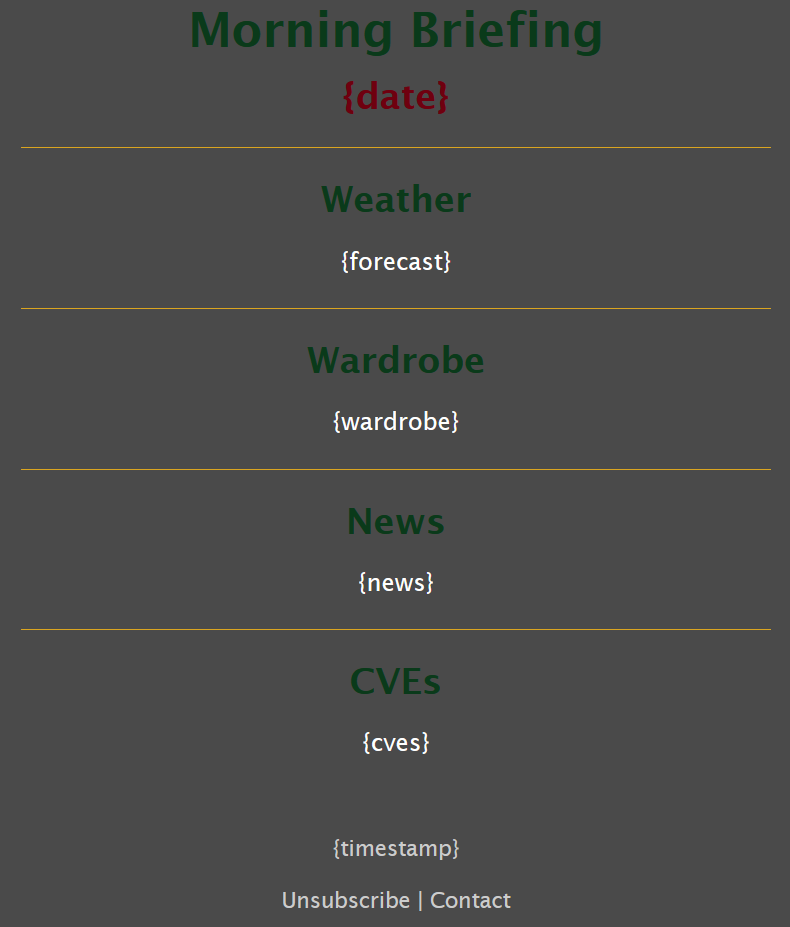
The data is injected into the placeholder in the wardrobe preview template, with a header for each workday, the categories below it, and spacing between each day.