Today I’m going to set up my local weather station in my yard that will feed data to my database that stores the forecast data I’m pulling from NWS. NWS gives me projected future data, but I’m not able to see what’s happening in my yard, until now. Down the road, I’ll perform some analysis comparing forecast data to observed data which will be useful for future automation and machine learning.
This is an Ecowitt WS2561 kit, which includes a HP2560 display console that will be receiving data from a WS69 sensor array and an indoor temperature sensor I’ll put in my office hanging on the server rack. I’ll also order some soil moisture sensors, a lightning strike detector, and an AQI monitor in the near future which will send data to the console. It’s all using 915Mhz RF and has a range of about 300 feet, which should work well for me as I’ll be running sensors at a distance that are out of range for Zigbee or ZWave.
I looked into some LoRaWAN stuff, and it’s great stuff, but a bit more expensive than I want and a bit overkill in terms of range. So this Ecowitt hardware is a decent middle ground for my purposes for the time being.
Hardware Deployment
I’ll start by setting up the console. I power it up, and I’ll navigate to the Wi-Fi settings and select the SSID I created that is tied to the Yard IoT VLAN. I made sure to use 2.4Ghz only for that SSID as IoT doesn’t often like to cooperate with 5Ghz bands.
Now I have the console connected to the Wi-Fi, I can set a static IP for it and create a firewall rule in the UDM Pro to allow traffic to the console from my laptop. I’ll also allow traffic from the console to the Pi that will receive the data, process it, and save it to the database. Now, when I’m making the firewall rules I want to be careful that I’m only allowing the necessary IPs and ports as IoT is inherently insecure. They say “The S in IoT stands for security.” In other words, security is often non-existent or lacking with IoT products.
I’m now able to connect to the console via the browser, and I’m finding that I can’t adjust many of the settings like setting units for the data types, date and time configuration, all that kind of fun stuff.
I’ll set an admin password and turn off the Wi-Fi network the console broadcasts for configuration. I’ll also update the console firmware.
I’m going to configure the console to send data to my Pi every five minutes by entering the IP and choosing the proper port to send the data to. I’m also going to choose to send the data with the Ecowitt format. You can also select Weather Underground format, but that doesn’t support sending data for some of my future sensors.
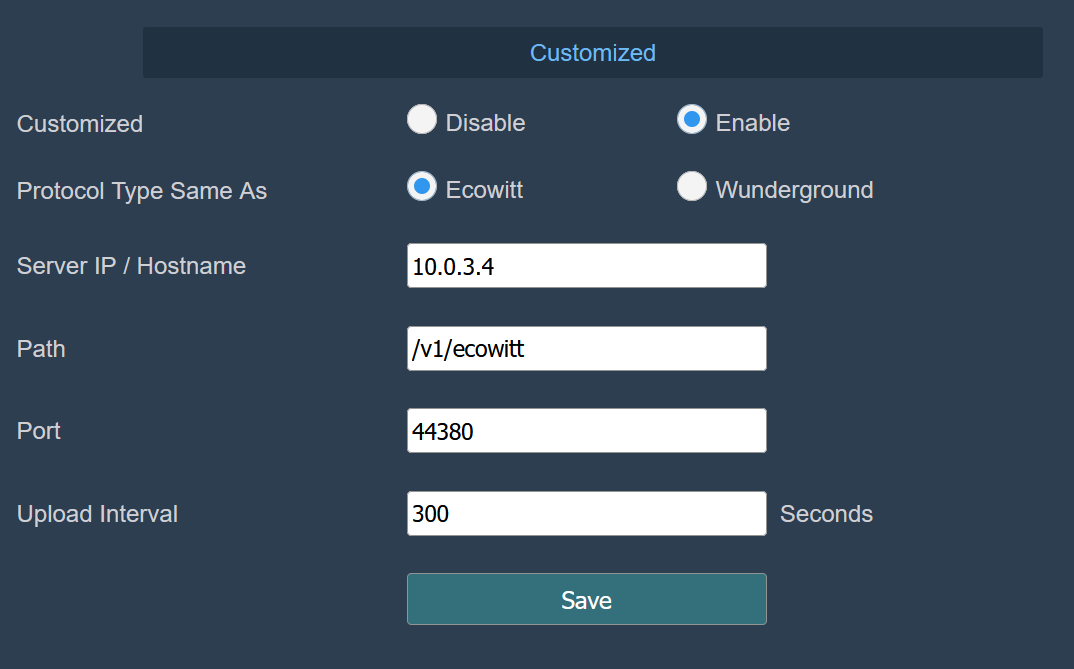
I don’t have my ingest script written yet because I wasn’t sure if the console would push data or if I needed to pull from it. Now I know it will push, so I can just create an API endpoint on the Pi to match the configured port and URL that the console can hit and everything will be nice and easy. I can see in Unifi Network that the console is already trying to push to the Pi, so that’s great. Right now, the Pi is probably just dropping the packets due to it’s UFW configuration, but that’s fine.
Once all of that is done, I’ll join the weather station sensor array to the console and install it out in the yard. For now, I’ll be using a temporary location and in the spring I’ll get a big post to put in the permanent location that will hold the weather station and lightning strike detector.
The API
Now I’ll hop into VSCode and set up a basic API for the Ecowitt console to push to. I’m going to use FastAPI with uvicorn to catch the data. Once the basic structure is set up, I’ll send it over to the Pi. I’ll set the script to run as a service on my Pi so the API endpoint is available 24/7.
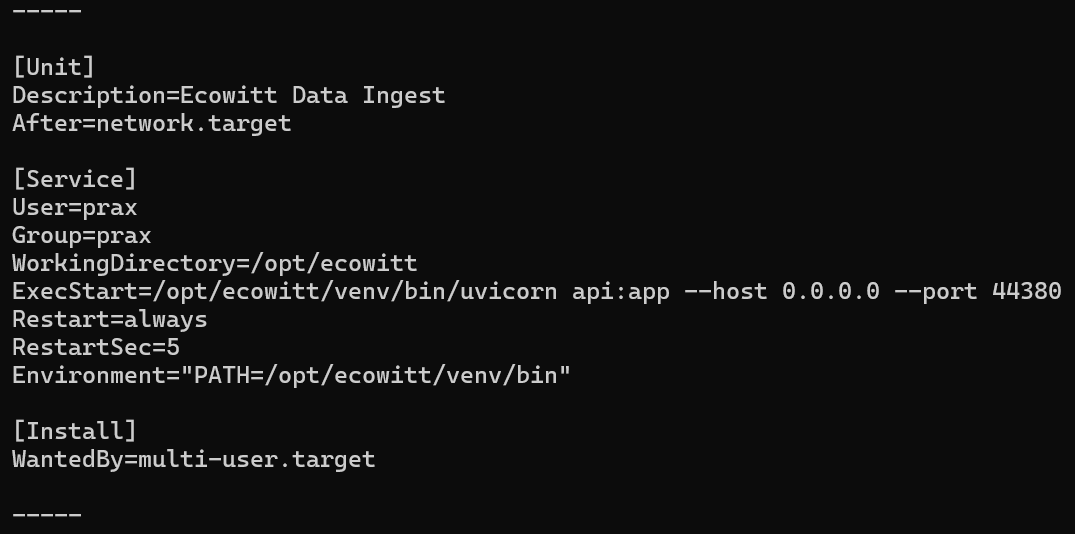
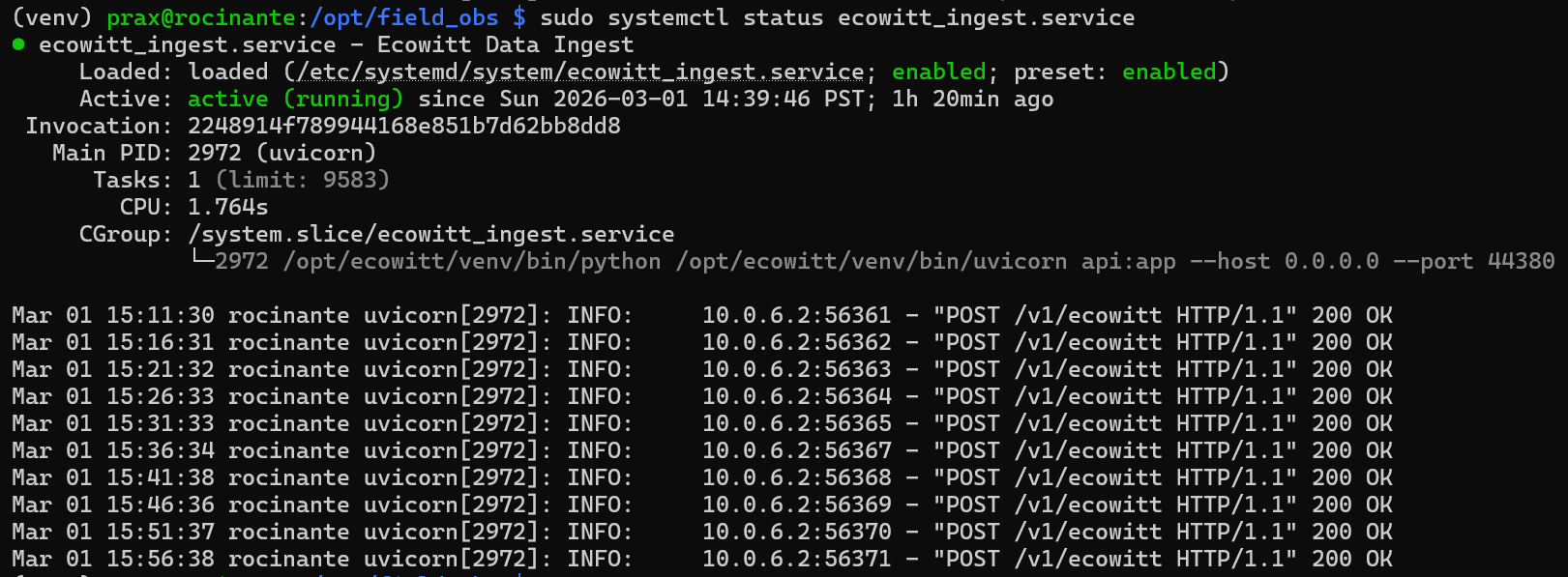
I started by saving the raw POSTs from the Ecowitt console as a JSON file to see how the data was being sent. I found that at this point, with the data from the weather station sensor array and the indoor temperature and humidity sensor, all the data is just one giant JSON structure without any nesting.
I don’t want to save all of the data to a single table in the database, so in my script, I defined which fields belonged to which sensor. I want to be able to separate things like rain totals from temperature, wind speed, etc. I also want to separate indoor from outdoor readings.
After divvying the data up into smaller chunks, I defined my table schemas and created them in my TimescaleDB instance. With that complete, all I needed to do was steal the database module from the NWS scraper I built previously and modify the insert statements to fit this data and the respective table schemas.
At the end of the day, it’s pretty simple and the data flows as follows:
Sensors -> Ecowitt Console -> Raspberry Pi -> TimescaleDB